Introducing ADG: Versioned, Reproducible Agent Skills
ADG is a unified CLI tool that manages AI agent skills through a single source of truth, eliminating configuration drift across Claude and Codex.
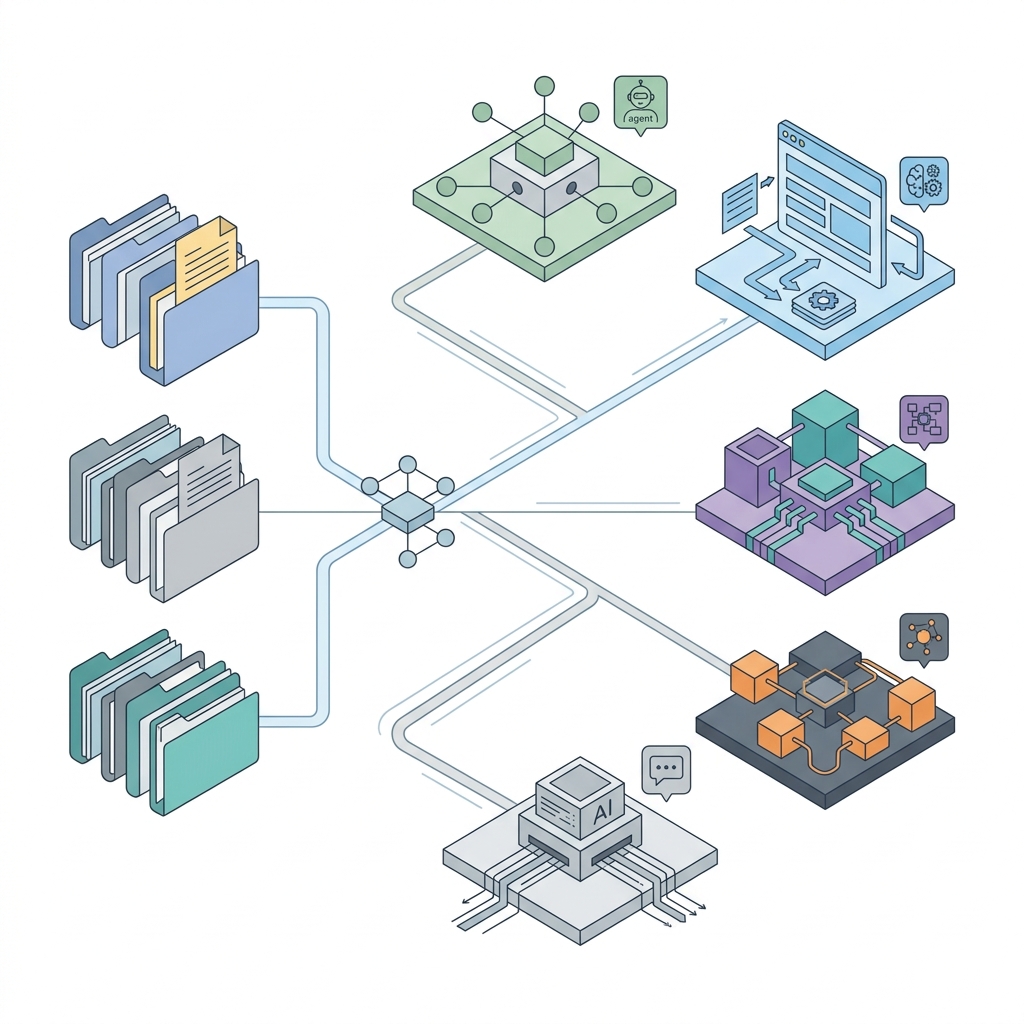
TL;DR: If you use multiple AI assistants like Claude and Codex, managing isolated agent skills quickly becomes a disorganized mess. ADG (Agent Directory Group) is a unified CLI that introduces package-manager-like versioning and lockfiles. You maintain a single manifest, and ADG automatically generates compatible configurations for each runtime, enabling a true “write once, run anywhere” experience for agent tools.
If you are accumulating skills and plugins across both Claude and Codex, you have likely run into two major pain points: Skill Explosion and Runtime Fragmentation.
ADG (Agent Directory Group) was built specifically to solve this chaos. This post explores its core value, design philosophy, and how to get started.
The Three Challenges We’re Solving
1. Skill Explosion
Currently, most skill files exist in isolation: no version control, no ownership attribution, and no dependency management. Over time, they degrade into an unmaintainable pile of loose scripts. ADG organizes these isolated files into versioned, discoverable plugins. It manages your tools by logical groups rather than raw files.
2. Runtime Fragmentation
Different AI runtimes enforce fundamentally incompatible standards:
- Claude loads skills from
~/.claude/skills/<name>/and requires namespaced skill names. - Codex natively discovers plugins at the root of
~/.agents/plugins/.
Two directory layouts, two entirely different manifest formats. Manually synchronizing them means endless tedious work and inevitable configuration drift. ADG’s solution is simple: you only maintain a single .agents/.plugin.json. ADG automatically generates the .claude-plugin/plugin.json and .codex-plugin/plugin.json files for you.
3. Lack of Reproducibility
“Which version do I actually have installed? Where did it come from? Has the code been modified?”
To answer these questions definitively, ADG introduces the .plugin-lock.json file. For every installed plugin, it records the origin, the resolved version, and a sha256 content fingerprint. You are no longer installing an “approximate” script; you are installing a cryptographically verifiable asset.
Core Design: Separating the Control Plane from the Export
Many tools mistakenly combine their “internal state” and the “manifest fed to the runtime” into a single file, making both unreliable. ADG’s most critical design decision is keeping them explicitly separate:
1
2
3
4
5
6
7
8
 .agents/.plugin.json   ── Single Source of Truth (The only file you write)
        │  Adapt
        ├────────────► .claude-plugin/plugin.json   (Generated, fed to Claude)
        └────────────► .codex-plugin/plugin.json    (Generated, fed to Codex)

 .plugin-lock.json      ── Control Plane: ADG's sole authoritative state
                           (Contains provenance + sha256 + version + dependencies)
 marketplace.json       ── Export: Generated to match Codex's spec; never treated as truth by ADG
- The lockfile is the control plane, owned exclusively by ADG. Every control operation (like
list,update,link), conflict detection, and dependency resolution relies entirely on the lockfile. If you attempt to install a plugin with the same name from a different origin, ADG detects the collision and rejects it. - The Marketplace is an export, shaped by the runtime. It is written strictly in the format Codex expects (
{ name, source, policy, category }). ADG treats it purely as a generated artifact. Integrity checksums, versions, and origins are intentionally excluded here—they live safely in the lockfile.
This strict boundary yields a massive benefit: the state you trust (the lockfile) and the shape you expose (the marketplace export) never pollute each other. You can change the export format without touching your source of truth, making adapting to new runtimes effortless.
60-Second Quick Start
The package is published on npm under the scope @rbbtsn0w/adg:
1
2
3
4
5
6
7
8
# Install the stable channel
npm install -g @rbbtsn0w/adg

# Or try the pre-release channel
npm install -g @rbbtsn0w/adg@beta

# You can also run it directly without installing:
npx @rbbtsn0w/adg --help
You can pull a marketplace repository into your global library and project it to your preferred runtimes in just a few steps:
1
2
3
4
5
6
7
8
9
10
11
12
13
# 1) Add to the global library (~/.agents/plugins)
adg plugins add anthropics/knowledge-work-plugins --ref main --global

# Is the repository too large? Use sparse checkout for specific subdirectories:
adg plugins add anthropics/knowledge-work-plugins --ref main --sparse engineering --global

# 2) Project to your runtime
adg plugins link --target codex  --global     # Native discovery for Codex
adg plugins link --target claude --global     # Symlink loading for Claude

# 3) Keep everything up to date
adg plugins update --global
adg plugins list --global
adg is the only command you need to remember. Beyond the global installation, there are no Node build steps required.
Reassuring Technical Details
These aren’t just features; these are the answers to questions you’ll likely ask before adopting a new tool:
- It strictly isolates its blast radius. In any scope, ADG only reads and writes within the
plugins/subtree. Sibling files like~/.agents/AGENTS.mdand~/.agents/skills/are never touched. - Symlinks never overwrite real directories. When executing
link --target claude, ADG only replaces outdated symlinks. If it encounters a real directory, it refuses to overwrite it. - Seamless adoption of existing plugins. During the discovery phase,
addscans for existing.codex-pluginor.claude-pluginnative manifests and reverse-adapts them into a standard.agents/.plugin.json. You can manage third-party plugins effortlessly without a dedicatedimportstep. - SemVer-compliant dependency topology. Plugin dependencies are validated using standard comparators (
^,~, exact,*) and topologically sorted during installation. Circular dependencies, missing requirements, or version conflicts trigger an immediate fail-fast. You can use--no-depsto install only the requested target. - Clean licensing and provenance. The core skills domain is a vendored fork of vercel-labs/skills (MIT). The
adg skills <verb>command proxies arguments directly while preserving the reconstructed LICENSE and third-party notices upstream, ensuring full compliance and traceability.
Who Is This For?
- Heavy users of multiple runtimes: Developers running skills/plugins on both Claude and Codex who are tired of manual synchronization.
- Infrastructure-focused teams: Teams that require reproducible installations for CI pipelines, shared environments, or auditing (this is exactly why the lockfile and
sha256exist). - Tool creators: Authors who want to package scattered global skills into distributable plugins. The
import-skillscommand instantly converts a<name>/SKILL.mddirectory into a standardized plugin.
To be completely honest: If you only use a single runtime and rely on a handful of skills, ADG might be over-engineering. Its value multiplies as a function of your skill count × runtime count.
Next Steps
- Try it out: Run
npm install -g @rbbtsn0w/adg, then explore withadg --help. - Author your first plugin: Read the
docs/authoring.mdguide in the repository. - Understand the directory specification: Check out
docs/agents-spec.md. - Explore the release engineering: If you are curious about how we achieved the dual-channel release on npm, read New npm Package Dual-Channel Release: main + beta.
- Dive into the Agent Ecosystem: For more insights on building robust Agent ecosystems, check out our Mastering Antigravity Agents Guide.
A single source of truth, seamless bridging across ecosystems, and total reproducibility. That is ADG.